Stop Worrying About AI Stealing Your Data
The real security threat to your firm isn't Claude or ChatGPT. It's your paralegal using 'Password123' and no two-factor authentication. Here's what actually matters for AI security right now.
Graydon Trusler
Lexpert Founder
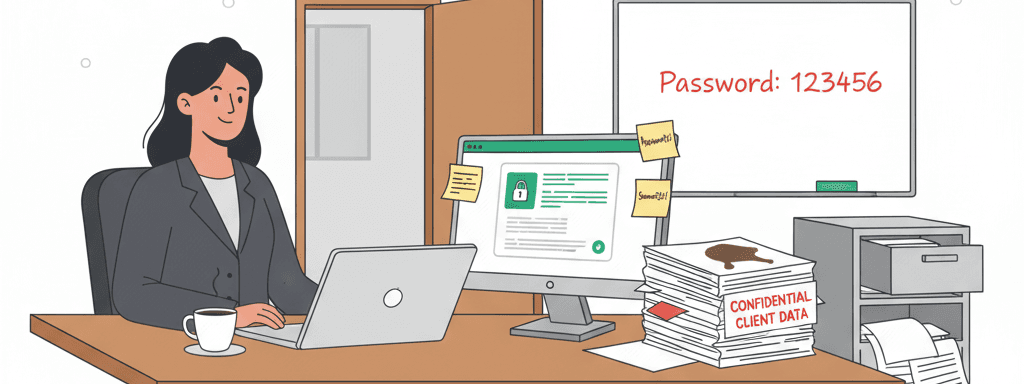
The real security threat to your firm isn't Claude or ChatGPT. It's your paralegal using "Password123" and no two-factor authentication.
The Fear is Outdated
Too many lawyers are not using AI at all because "it's not secure."
This made sense in 2023. It doesn't anymore.
Here's what changed: The major AI providers now offer options to prevent your data from being used for training. OpenAI (ChatGPT), Anthropic (Claude), Google (Gemini), Microsoft (Copilot), and xAI (Grok) all have plans where your data stays private.
But - and this matters - not all paid plans are created equal.
Trust, but verify. Don't just assume your paid subscription protects you. Go look for the setting that says "don't use my data for training." If you can find it and it's turned off by default (or you can turn it off), you're good. If you can't find that control, use a different provider or upgrade to a plan that has it.
Consumer Paid vs Business Tiers: Know the Difference
Here's where it gets specific:
Business/Enterprise tiers are straightforward:
- ChatGPT Business/Enterprise: Data not used for training by default
- Google Gemini for Workspace: Data not used for training by default
- Microsoft 365 Copilot: Data not used for training by default
- Claude for Work/Enterprise: Data not used for training by default
Consumer paid tiers (Plus/Pro/Advanced) are messier:
- ChatGPT Plus: Has opt-out controls in settings
- Claude Pro/Max: Anthropic uses consumer-tier chats for training unless you opt out
- Grok Premium: Requires manual opt-out; used for training by default
- Gemini Advanced: Check your Google Account privacy settings
The pattern: Business tiers protect by default. Consumer paid tiers often require you to opt out manually.
Check Your Settings Right Now
Don't assume. Verify.
Go into your AI tool's settings. Find "Privacy" or "Data Controls." Look for anything about training, model improvement, or data usage.
For business tier users: Confirm it's off by default. It should be, but check anyway.
For consumer paid tier users: Find the opt-out and use it. If you can't find it, contact support or switch providers.
If there's no clear control at all: Don't use that tool for client work.
This takes 5 minutes. Do it now, not later. Not sure how to check? Ask the AI...
When You Actually Need Business Tier
Three situations where consumer paid plans aren't enough:
1. HIPAA-Covered Information If you're handling medical records, personal injury cases with detailed health information, or anything that falls under HIPAA, you need a Business Associate Agreement (BAA). Consumer plans don't offer this. Business tiers do.
Google Gemini for Workspace and Microsoft 365 Copilot both offer straightforward BAA options. If you already use Google Workspace or Microsoft 365 for your firm, you probably have access right now.
2. Default Privacy Protection Business tiers have data protection locked on by default - no hunting through settings, no worrying if you missed something. If you're managing a team and want to guarantee everyone's protected without relying on individuals to configure their accounts correctly, business tier solves this.
3. Your Bar or Insurance Requires It Some jurisdictions or malpractice carriers have specific guidance requiring business-tier features. Check what yours says. If they specify business tier, listen to them.
For everything else? Consumer paid plans with privacy settings verified and configured correctly work fine for most solo and small firm practitioners. You don't need to spend thousands on enterprise contracts to draft a motion or summarize a deposition.
What AI Actually Does for Law Firms
Here's a real example: One PI firm built a system where staff emails case documents to an internal address. Fifteen minutes later, they get a ready-to-file demand letter based on the firm's templates and language.
That's not science fiction. That's Tuesday afternoon.
Firms avoiding AI because of security fears are choosing to be slower than their competition. That's not caution - that's just falling behind.
The Real Security Risks
After years implementing AI for law firms, I can tell you what actually gets firms breached:
What actually causes data breaches:
- Weak passwords (or the same password everywhere)
- No two-factor authentication on critical systems
- Compromised email accounts
- Vulnerabilities in your case management software
What doesn't cause data breaches:
- Using ChatGPT Business to draft a motion
- Asking Gemini for Workspace to summarize a deposition
- Having Claude for Work analyze discovery documents
- Using Microsoft 365 Copilot to review contracts
When we onboard new firms, we find security holes constantly. Almost never in their AI tools. Almost always in the basics - password management, 2FA, access controls.
The Question Changed
Twenty years ago, firms that insisted on typewriters instead of computers weren't being "careful." They were being obsolete.
The question isn't "Should we use AI?" anymore. It's "How do we use AI while maintaining security?"
The answer:
- Use business tier if you can afford it (it's simpler and safer)
- If using consumer paid plans, verify your privacy settings yourself
- Get a BAA if you're handling HIPAA-covered information
- Enable 2FA everywhere
- Stop using "Summer2024!" as your password
- Fix the actual problems
Stop being scared of the wrong thing.
Note: Privacy policies change. Check current terms for your specific plan before using any AI tool for client work.
Built by lawyers, for lawyers.
LexpertAI delivers practical AI strategies that practicing attorneys can implement today. No theory, no fluff, just results.
Read our storyWant more practical AI guidance?
Get actionable tips and strategies delivered weekly. No theory, just real-world implementation.
Read The Playbook