I Promised to Show You How I Built an SOP with AI. Here's Why I Can't.
A podcast demo led to a promise I couldn't keep. Here's what actually happened when I tried to automate SOP creation with AI.
Graydon Trusler
Lexpert FounderNovember 25, 2025
What's an SOP?
A Standard Operating Procedure (SOP) is a step-by-step document that shows exactly how to complete a task. Think "click here, then click there" with screenshots. They're essential for training staff, maintaining consistency, and not having to explain the same thing fifty times.
A few weeks ago I was on a legal podcast talking about AI tools. I mentioned that I'd just used Claude to generate a complete SOP with screenshots. Privacy settings verification for Claude.ai. Five minutes. Done.
The host was interested. I said I'd record a video showing how I did it.
Then I tried to actually do that.
What Actually Happened
The SOP worked. It really did. Here's roughly what I asked:
"Create an SOP document for checking my privacy settings in Claude.ai. Use Playwright MCP to go through the process of confirming my privacy settings. Make sure my information is not being saved or used for training their models. As you go through the process, take screenshots to be included in the SOP document. Output should be in markdown."
That's it. A proof-of-concept prompt I threw together without much thought.
The result? An 8-page document with screenshots, step-by-step instructions, a FAQ section, compliance notes. Ready for distribution to a team that's never touched Claude before.
Download the actual SOP (PDF) to see what AI-generated documentation can look like when it works. (And if you want to check your own privacy settings on Claude or any other AI platform, here's a step-by-step guide for all major platforms.)
But when I sat down to record the video, to show other people how to do this, the cracks appeared.
The method required:
- Browser automation through Chrome DevTools Protocol
- JavaScript helpers for navigating React applications
- Manual intervention when authentication walls appeared
- Coding knowledge to troubleshoot when things broke
Each of those bullet points is a dealbreaker for most people reading this.
The Reproducibility Problem
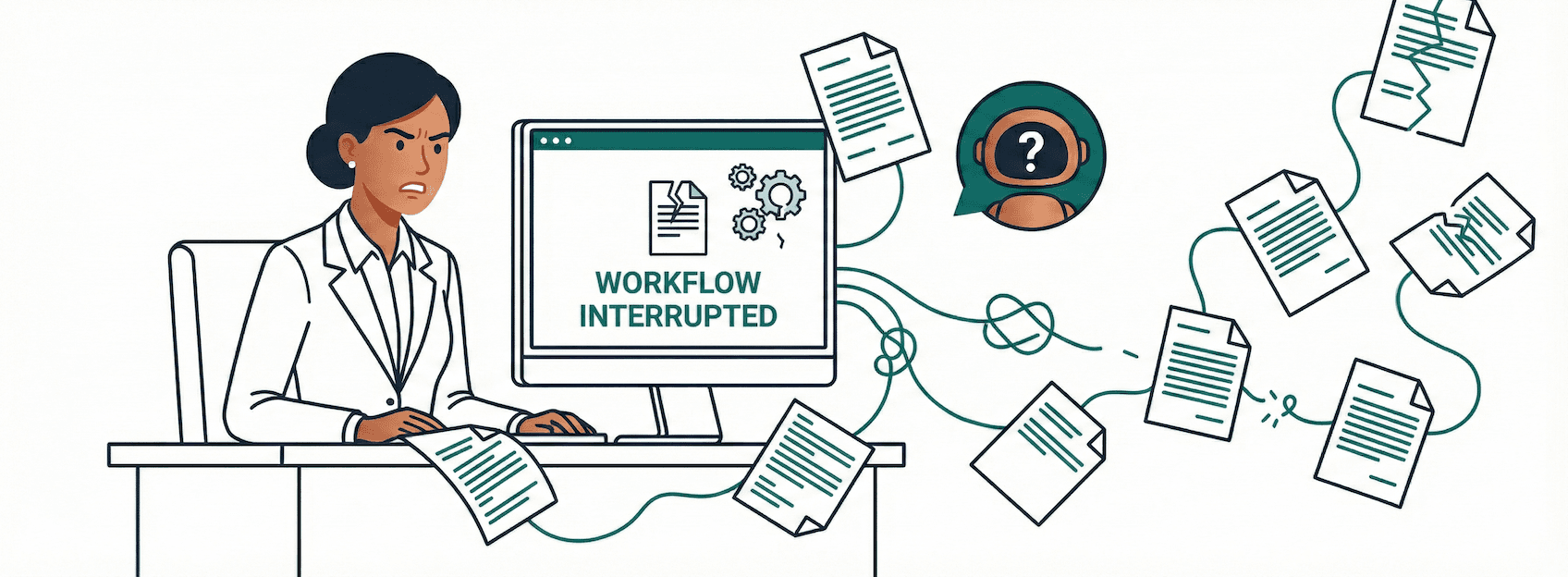
Here's what nobody talks about when they demo AI capabilities: the gap between "I did it" and "you can do it too."
The first time I built the SOP, once I found the right tools, it was fairly straightforward. Technical, yes, but manageable. When I tried to reproduce it for the video? Problems I never hit the first time. Different errors. Different behavior.
This is one of the things that makes AI different from traditional software. A standard computer program does the same thing every time. AI tools don't. You can run the same prompt twice and get different results. The browser automation that worked perfectly on Tuesday fails on Wednesday because the AI made a slightly different decision about how to interact with a button.
The first time worked because I knew the right questions to ask. I knew what tool options existed. After a few failed attempts finding the right combination, I landed on something that worked. And it worked well.
The second time is where reality hit. Same tools. Same approach. Different problems.
You shouldn't have to know any of that. And you definitely shouldn't need luck.
The honest truth is that fully automated SOP creation with AI is still a technical project. The tooling exists, but it requires:
- Browser automation setup (Puppeteer, Playwright, or similar)
- Understanding of web app architectures
- Custom scripting for each application you want to document
- Manual intervention for login flows and authentication
This Is Not a Skill Issue
If you tried to replicate what I did and failed, that's not on you. The tools aren't ready for non-developers yet. The YouTube videos showing "AI creates documentation automatically!" are either heavily edited or done by people with significant technical backgrounds.
Nerd Alert: Why This Is Harder Than It Looks
If you're using ChatGPT or Claude desktop apps, you may have noticed they can sometimes control browsers when they have the right tools. These tools use screenshots to show the model what's on screen.
I thought: if it's taking screenshots anyway, why not use those for an SOP?
The problem is those screenshots exist inside the model's own little virtual environment. Getting them out to your Mac's file system is surprisingly difficult.
That's when I switched to Claude Code, which runs in the Mac terminal and operates directly in the Mac operating system. It can actually save screenshots to real folders. That's what made this work.
But "runs in the terminal" is already past the comfort zone for most people.
What You Can Do Today
Here's the thing: as I kept hitting walls trying to reproduce the automated approach, Claude actually suggested several times that it could write the SOP and I could just add the screenshots manually.
The AI was being practical. It recognized we were stuck and offered a workaround.
This is how I think about working with AI anyway. Not as a magic tool that does everything, but as a co-worker trying to solve the same problem. Sometimes the co-worker says "hey, this approach isn't working, but here's what we could do instead."
So here's what actually works for non-developers right now.
Use a browser-controlling AI tool. Several AI assistants can now control your browser directly:
- ChatGPT Atlas is a standalone AI browser that works great in agent mode
- Claude for Chrome extension
- Perplexity Comet is another option
- Gemini has browser features, though I don't think it can fully control the browser yet
Some of these tools just answer questions about what you're seeing on screen. But ChatGPT Atlas in agent mode can actually navigate, click buttons, and walk through a process with you.
The workflow:
- Open the browser-controlling AI tool
- Ask it to walk through the task you want to document
- Have it write the SOP as it goes, leaving placeholders for screenshots
- You take the screenshots manually at each step
Here's the kind of prompt that works:
"Go to [application URL] and walk me through [the task]. As you do each step, document it for an SOP. Write out the instructions for each step and tell me when to take a screenshot. Leave [SCREENSHOT] placeholders where the images should go. Target audience is [who will follow this]. Include a FAQ section at the end with common questions someone new would ask."
This works because the AI is actually seeing the application as it navigates. It knows what's on screen. It can write accurate instructions based on the real interface, not just its training data. You're just handling the one thing it can't easily export: the screenshots themselves.
What I'm Building
Now that I know this is possible, I really want to make it work. Honestly? Because I hate making SOPs. They say people will do more to avoid pain than to gain pleasure. This is me avoiding pain.
They're tedious. They take forever. You have to click through every step, take screenshots, write instructions, make sure everything's in the right order. And then the interface changes and you get to do it all over again.
I'm working on something that handles the hard parts: the browser automation, the screenshot capture, the annotation. The goal is simple. You describe the task, it generates the complete SOP package.
Not ready yet. But if you want to know when it is, sign up for updates and you'll hear about it first.
The Bottom Line
I made a promise I couldn't keep. Not because I lied about what I did, but because I underestimated the gap between my setup and yours.
That's the uncomfortable truth about a lot of AI demos right now. The technology works, but the "how" matters as much as the "what." And most of the "how" still requires technical skills that shouldn't be prerequisites.
Until the tooling catches up, use the prompt above. Take your own screenshots. Build your SOPs the semi-manual way.
It's less magical than full automation. But it works, and you can start today.
Built by lawyers, for lawyers.
LexpertAI delivers practical AI strategies that practicing attorneys can implement today. No theory, no fluff, just results.
Read our storyWant more practical AI guidance?
Get actionable tips and strategies delivered weekly. No theory, just real-world implementation.
Read The Playbook