Loading...
Lexpert Clipper · For Chrome and Edge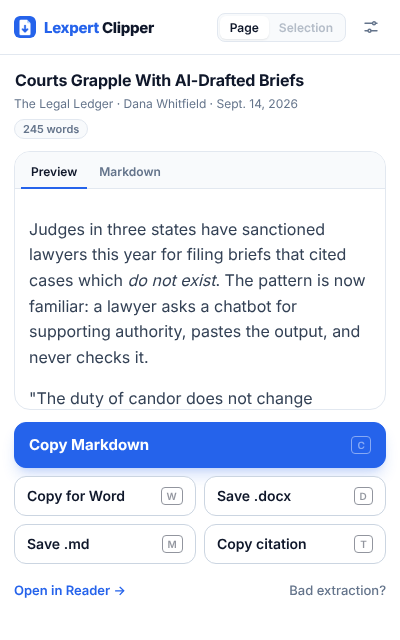
Clip the page. Keep the cite.
Lexpert Clipper turns any web page, case, or YouTube video into clean Markdown, a real Word file, RTF, or plain text in one click. The source, dates, and a Bluebook citation come with it.
No copy-paste cleanup. No lost sources.
Works in Chrome, Edge, Brave, and Arc. Press Alt Shift C to copy any page as Markdown.
- Free. No account
- Runs in your browser
- No Lexpert server
courts-grapple-with-ai-drafted-briefs.md
What lands on your clipboard
---
title: "Courts Grapple With AI-Drafted Briefs"
source: "https://legalledger.example/2026/09/courts-ai-briefs"
author: "Dana Whitfield"
published: "2026-09-14"
accessed: "2026-10-11"
citation: "Dana Whitfield, Courts Grapple With AI-Drafted Briefs, The Legal Ledger (Sept. 14, 2026), https://legalledger.example/2026/09/courts-ai-briefs."
---

# Courts Grapple With AI-Drafted Briefs

Judges in three states have sanctioned lawyers this year for filing briefs that cited cases which *do not exist*.

| State    | Orders | Average fine |
| -------- | ------ | ------------ |
| Texas    | 12     | $2,500       |
Markdown.docx.rtfPlain textCopy for WordCitation
Local-first
Nothing you clip is uploaded to us.
Clipper reads the page in your browser, builds the Markdown or Word file in your browser, and saves it to your disk. There is no Lexpert server in the loop.
No Lexpert server
Extraction, formatting, and the .docx builder all run inside the extension. Even the font is bundled.
No account
Install it and clip. There is nothing to sign in to and no library of your reading on someone else's server.
Your files, your folders
Clips are plain .md and .docx files saved where you choose. Drop them in a matter folder and they stay there.
One clear boundary. If you paste a clip into your own AI provider, that provider sees what you paste. That is between you and them.
Every clip comes out ready to use.
Built for people who paste web research into briefs, memos, and notes all day, and are tired of cleaning it up.
Clean Markdown
Headings, tables, nested lists, footnotes, and images survive the trip. Every clip opens with a header that records the title, source, author, published date, accessed date, and citation.
Alt Shift C copies the page with no popup
Word, RTF, or plain text
Save a .docx built from the page, with headings, tables, links, images, and a source block. Or copy it as formatted text and paste straight into Word, Outlook, or Google Docs. Plain text, .txt, and .rtf keep the source and citation too.
Citations that hold up
Bluebook-style web citations with a “last visited” date when the page has none. On case pages it finds the case name and reporter cite.
YouTube transcripts
On a video page, Clip takes the transcript instead of the page. Each paragraph starts with a timestamp that links to that moment.
[12:04] The court asked whether the duty of candor changes when the tool changes...
A reader that stays out of the way
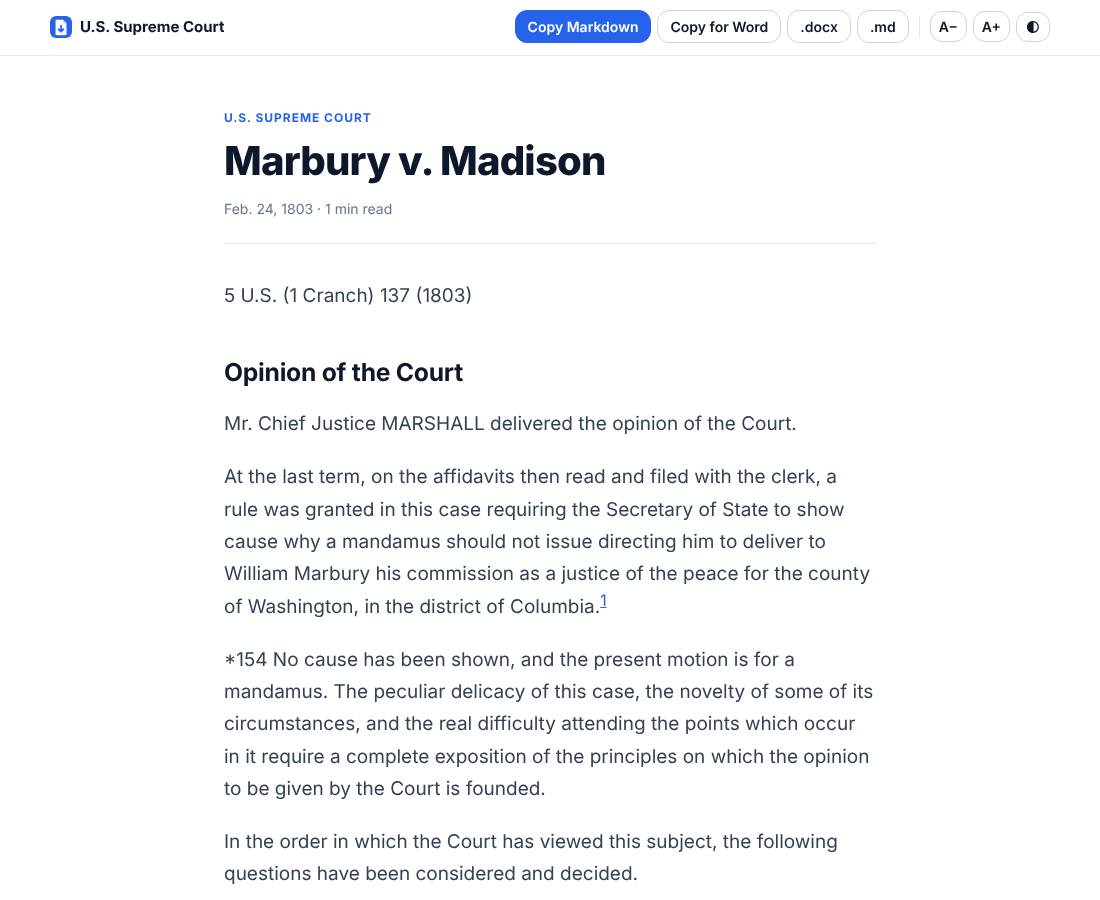
Open any page in a clean reading view with light, sepia, and dark themes, adjustable text, and the same export buttons.
Quote a passage. Get the pin cite.
Clipper reads star paging on opinion pages, so a highlighted quote comes back with the exact pages it came from and a link that jumps to the passage.
- 1
Highlight the passage
Select the text you want on any opinion page that marks its pages, like *154.
- 2
Press Alt Shift Q
Clipper copies the quote with its citation, pin cite included.
“No cause has been shown, and the present motion is for a mandamus.” Marbury v. Madison, 5 U.S. 137, 154 (1803).
- 3
Paste it into the brief
The clip also carries a text-fragment link, so anyone checking your work lands on the exact sentence.
Built in a law firm. Not for a pitch deck.
Clipper comes from the same team as LexpertDraft and Lexpert MCP: a technologist with two decades inside a family law firm, and a practicing partner who won't adopt a tool that fails on a real case.
We built it because the reader extensions we tried kept breaking on the pages lawyers actually read.
“If it doesn't survive the gauntlet of a real law practice, it doesn't ship.”
Why not the clipper you have?
| Typical clipper | Lexpert Clipper |
|---|---|
| Breaks on pages that load late | Waits for the page, then falls back to a second extractor |
| Markdown only, or Word through a paid cloud | Markdown, .docx, RTF, and plain text, built on your machine |
| Drops the source | Source, dates, and citation on every clip |
| Sends pages to its servers | No Lexpert server at all |
Stop cleaning up pasted research.
Lexpert Clipper is free. Leave your email and we'll send the install link the day it's ready.
Also free: LexpertDraft, the writing app · All Lexpert products