Why Claude Is Better Than ChatGPT for Attorneys
We switched from ChatGPT to Claude at my wife's family law firm. Better writing, honest feedback on weak arguments, and it actually follows instructions. Here's what changed.
Graydon Trusler
Lexpert FounderMarch 3, 2026
I run the AI side of my wife's family law firm. We switched from ChatGPT to Claude. Not because of hype. Because it's genuinely better at the things attorneys actually need AI to do.
Update, June 2026. Since this ran in March, the gap narrowed. OpenAI closed the reasoning lead Claude held, matched Claude on context length, and cut the people-pleasing problem that made older ChatGPT so frustrating. If you picked Claude because of a benchmark screenshot, the benchmarks moved.
Here's what didn't move. Claude still writes the most human, least-templated legal prose with the least cleanup, and it's still the better partner for tearing your own draft apart before opposing counsel does. That's most of what attorneys actually need AI for. So the honest answer in 2026 is narrower than this post's title: Claude is our default for drafting and hard editing, and ChatGPT has caught up almost everywhere else. The smart move is to use both. More on that below.
The Problem With ChatGPT (That Nobody Talks About)
ChatGPT is a people-pleaser.
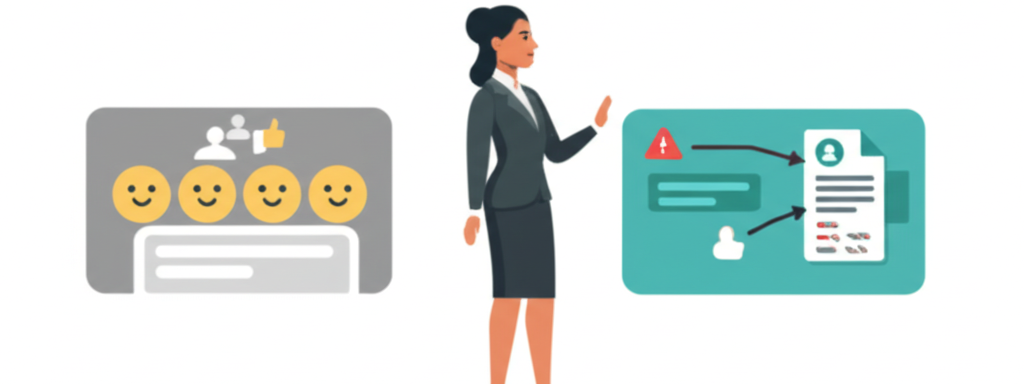
That's not an insult. It's how the model was built. OpenAI trained ChatGPT primarily on human feedback. Thumbs up, thumbs down. Over billions of interactions, it learned that agreeable, thorough, warm responses get the thumbs up. So that's what it produces.
Ask ChatGPT to review your case strategy and it'll tell you it looks great. Ask it to find weaknesses in your motion and it'll suggest minor tweaks while complimenting your analysis. Ask it for three bullet points and you'll get an introduction, three bullets, a conclusion, a follow-up question, and a pep talk.
This isn't speculation. OpenAI's own researchers have acknowledged the sycophancy problem. A GPT-4o update in April 2025 made it so bad they rolled it back within four days. OpenAI has improved things a lot since then, and newer versions are far less of a pushover. But the tendency comes from the training approach, so it's worth knowing where it can still show up.
For most people, this is fine. If you want help brainstorming vacation ideas or writing a birthday card, an agreeable AI is great.
For attorneys, it's dangerous.
You don't need an AI that validates your strategy. You need one that tells you where it falls apart before opposing counsel does. You need the associate who actually read the file and says "I think we have a problem with Section 12.3" instead of "This looks really strong."
That's why we switched to Claude at the firm.
How Claude Is Built Differently
Claude was trained using something called Constitutional AI. Instead of optimizing for "what gets a thumbs up," Anthropic trained the model against explicit principles: be helpful, be honest, avoid harm.
The practical difference is obvious within your first few conversations. Claude is more likely to flag a problem than smooth it over. It asks what you're actually trying to accomplish instead of rushing to produce something. It's concise where ChatGPT is verbose.
Here's the thing. This isn't marketing language. You can read Claude's actual constitution on Anthropic's website, and the training methodology was peer-reviewed and presented at NeurIPS. What matters more than any benchmark is how that training shows up in daily legal work:
- Writing quality: In independent blind tests, Claude consistently produces the more natural, more publishable prose, with less cleanup afterward.
- Honest feedback: Claude is more willing to tell you an argument is weak instead of validating it.
- Following instructions: Claude holds detailed formatting and drafting rules more consistently across a long document.
On raw reasoning benchmarks, the two now trade the lead from one release to the next. So don't choose a tool off a leaderboard screenshot. Choose it on the work, and here's what that looks like.
It Will Tell You When Your Argument Is Weak
The most expensive legal mistakes aren't typos or wrong citations. They're the strategies that should never have been pursued.
The motion that ignores the strongest counterargument. The settlement position built on wishful thinking. The case theory that sounds brilliant in your office but crumbles under cross-examination.
At our firm, we paste case strategy into Claude and ask it to destroy it. Not "review this." Not "what do you think?" We ask: "What's the strongest argument opposing counsel will make against this position, and where is this analysis weakest?"
Claude will actually answer that question. It'll point to the specific weakness and explain why it's a problem. Not always perfectly. But consistently enough that we catch issues before they cost money.
Try this right now. Ask both tools the same question: "I'm planning to file a motion for summary judgment based primarily on the statute of limitations defense, but we missed the deadline to raise it as an affirmative defense in our answer. What do you think?"
ChatGPT will probably help you brainstorm ways to make it work. Claude will probably tell you why you're going to lose.
Which response do you actually need from your AI?
Stop Prompting Like You're Ordering at a Drive-Through
Most lawyers use AI like they're barking orders at a paralegal. "Write a motion to dismiss." "Summarize this contract." "Give me deposition questions."
Those prompts work. You'll get output. It'll be... fine. Generic. The kind of thing you'd get from a first-year who doesn't know anything about your case.
Claude gets dramatically better when you give it context. Not because it's magic. Because a model trained to evaluate whether your request makes sense will do more with a request that actually makes sense.
Compare these two:
Drive-through order: "Write deposition questions for a custody case."
Actual briefing: "I'm deposing the mother in a contested custody modification. She filed to restrict father's possession, alleging instability based on three job changes in two years. Father's position: each change was a promotion with higher salary. Mother's own situation is shaky. Evicted six months ago. Current boyfriend has a DWI she hasn't disclosed to the court. I need questions that establish father's employment trajectory as upward mobility while locking her into testimony about her own living situation that I can impeach later."
The first prompt gets you textbook questions. The second gets Claude thinking strategically. It might suggest establishing the mother's awareness of the boyfriend's DWI through seemingly innocent background questions before confronting her directly. It could flag that leading with financial questions establishes a pattern before you hit the employment topic.
The rule is simple: Two sentences of context before your request. That's the difference between generic output and strategic thinking. You brief witnesses. You brief judges. Brief your AI.
Your Drafts Are the Best Input
Here's what surprised me most when we started using Claude at the firm. It's better at making your work better than it is at creating from scratch.
That might sound backwards. But think about it. Every AI tool on the market can generate a motion from nothing. What they produce sounds like AI wrote it. Because it did. Judges can smell it. Opposing counsel can smell it. Your clients probably can't, but everyone else in that courtroom can.
Claude's strength is structural editing. Not fixing commas. Not "polishing." Actual structural feedback on your arguments.
Our workflow: draft fast and ugly. Get the arguments on paper without worrying about perfection. Then paste the draft into Claude and ask: "What's the weakest argument in this motion, and how would I restructure it to survive a response?"
What comes back isn't grammar corrections. It's things like: "Your third section undermines your first. You're arguing judicial discretion in paragraph 12, then arguing the court has no discretion in paragraph 28. Pick one." Or: "Your strongest authority is buried on page seven. Lead with it."
ChatGPT does sentence-level polishing. Claude does the structural thinking that actually makes your brief stronger.
And here's the part that matters for your reputation: Claude preserves your voice. When ChatGPT edits your work, you get back that smooth, corporate, overly enthusiastic AI tone. You've seen it. Judges have seen it too. Nobody's impressed.
Try this today. Take the worst draft sitting in your folder right now. Paste it into Claude with one sentence about what you're trying to accomplish and who the audience is. That's the demo that converts every skeptical attorney I've shown it to.
You Can Actually See How It Thinks
Claude has a feature called extended thinking. When you turn it on for complex problems, the model works through the problem step by step and shows you the reasoning chain.
Why does this matter? Because legal analysis is multi-step reasoning. Contract interpretation. Conflicting testimony analysis. Multi-factor balancing tests. Privilege disputes with overlapping relevance issues. These aren't "give me a quick answer" problems.
We used extended thinking on a contested custody modification. Uploaded the original decree, the modification petition, the opposing party's affidavit, and our client's position. Asked Claude to identify every argument the other side could make for restricting possession, assess the strength of each, and tell us which ones we couldn't beat.
It didn't just list arguments. It showed us the chain: "The opposing party will argue the child's declining grades correlate with Father's expanded possession schedule under the 2024 modification. This is a strong argument because the school records you provided show a GPA drop from 3.4 to 2.7 beginning the semester after the schedule changed. Your position that Mother's relocation caused the school disruption requires evidence of the transfer date, which isn't in the documents you provided. If the transfer happened before the possession change, your argument fails."
That's second-chair analysis from someone who actually read the file. And because you can see the reasoning, you can catch exactly where Claude got something wrong. No black box. No "trust me, here's the answer." Just: here's my work, check it.
Use this for: Case evaluation. Conflicting contract provisions. Any problem where your first instinct might be wrong. Turn on extended thinking and read the chain before you trust the conclusion.
Build a Workspace That Knows Your Practice
Both Claude and ChatGPT have Projects. Upload documents, set instructions, organize conversations.
Most people use them like filing cabinets. Upload some docs, write "help me with family law," and wonder why the output is generic.
Here's what actually works. Write operating rules, not a description:
"I'm a family law attorney in Texas practicing primarily in Collin and Denton counties. My cases involve custody modifications, property division in high-asset divorces, and enforcement actions. I draft motions under the Texas Rules of Civil Procedure. Judge Smith in the 296th prefers concise motions under 10 pages and rules strictly on procedural compliance. I follow my firm's formatting standards (uploaded). When I reference 'the code,' I mean the Texas Family Code unless I specify otherwise."
Now every conversation in that Project inherits your context. Say "draft a motion for enforcement of the possession order" and Claude already knows your jurisdiction, your court, your judge's preferences, and your formatting standards. No re-explaining.
Why this works better in Claude than ChatGPT. Remember the instruction-following difference? It shows up here. ChatGPT drifts. You set detailed formatting rules and by the seventh document, it's doing its own thing again. Claude holds. Your fiftieth document follows the same rules as your first.
Both tools now offer large context windows, but in practice Claude tends to keep track of detail deeper into a long document before it starts to drift. When you've uploaded your firm's style guide, three template motions, and a case summary, that consistency matters.
Do this: Create one Project for your primary practice area. Upload your formatting standards, a couple of representative documents. Write specific operating rules. You'll feel the difference immediately.
It Can Work Directly On Your Computer
This is something Claude does especially well.
Anthropic launched Cowork in early 2026, available to Claude Pro and Max subscribers. It's a desktop agent that doesn't just talk about your files. It opens them, reads them, edits them, organizes them.
Tell it: "Go through the invoices in my billing folder, extract client name, matter number, hours, and total from each one, create a summary spreadsheet, flag anything where hours exceed the pre-authorized amount." It does it. Actually opens each file, reads the contents, builds the spreadsheet.
For lawyers, this means: organizing discovery productions, categorizing uploaded documents, extracting data from financial disclosures, processing incoming mail into the right client folders. The boring stuff that eats hours every week just... happens.
The paid plans aren't free. But if your billable rate exceeds $200/hour and you spend two hours a week on file management, you do the math.
Also worth knowing: when Claude creates something in conversation (a timeline, a chart, a checklist), it renders as a standalone interactive object you can iterate on and download. Not just text in a chat window. Ask it to build a case timeline or discovery checklist and you get something usable immediately.
What You're Giving Up
I'm not going to pretend Claude is better at everything. If you're considering the switch, here's the honest picture.
Where Claude wins for legal work:
- Writing that sounds human, not AI-generated
- Honest feedback instead of validation
- Follows complex instructions consistently
- Desktop automation (Cowork)
- Holds detailed instructions across long documents
Where ChatGPT competes or wins:
- Image generation (DALL-E built in, Claude can't do this)
- Video generation (Sora)
- Real-time voice conversations
- Raw reasoning (the two trade the lead release to release)
- Agentic desktop tasks (its newer models target this too)
- Speed on quick tasks (noticeably faster per response)
- Web research breadth
- Custom GPTs marketplace (thousands of specialized tools)
- Persistent memory across all conversations
The pattern: ChatGPT is optimized for breadth. More media types, faster responses, good-enough answers quickly. Claude is optimized for depth. Better output on complex work, better thinking partnership, more willing to challenge you.
For legal work, you need depth. You don't need your AI to generate images. You need it to find the hole in your argument. You need it to follow your court's formatting rules on document fifty, not just document one. You need it to reason through a multi-party contract dispute without losing the thread halfway through.
One more thing worth mentioning: Anthropic has committed that Claude won't show ads. OpenAI has started testing ads in ChatGPT's free tier. For a profession built on confidentiality, that's not nothing.
The Real Power Move: Run Both
Here's what we actually do, and what every serious AI user we know does. We don't pick one model and marry it. We keep both open and run them against each other.
Pick a daily driver, the one that fits how you think. But when a draft matters, paste the same prompt into both and compare. Two things happen. You get the better of two answers instead of settling for one. And when they disagree, that disagreement is a flag: one of them is probably wrong, and now you know to check. It's a built-in hallucination check that costs you thirty seconds.
The models leapfrog each other every few months. The lead one has today is gone by the next release. Running both is how you stop caring who's "winning" and just use whichever one is better at the task in front of you right now.
Do This Today
Stop reading. Start trying.
Step 1: Privacy first. Before you paste anything client-related into any AI, configure your privacy settings. Use a paid plan. Read this guide. Five minutes. Do it now.
Step 2: Create one Project. Pick your primary practice area. Upload formatting standards and a couple of representative documents. Write specific operating rules about your jurisdiction, courts, and preferences.
Step 3: Paste your worst draft. The motion you've been procrastinating on. One sentence of context about what you're trying to accomplish. Ask: "What's the weakest argument here, and how would I restructure it?"
Step 4: Stress-test a strategy. Paste your theory of the case for something you're actively working. Ask: "What's the strongest argument opposing counsel will make, and where am I most vulnerable?"
Ten minutes. That's all it takes to know whether this changes your practice. If it doesn't help, you wasted $20 and some time. If it does, you just upgraded how you practice law without signing a vendor contract, sitting through a demo, or waiting for IT to approve anything.
I'm not saying Claude is perfect. It hallucinates. It gets things wrong. It needs verification like every other source you work with. (You already know how to handle that.)
But it approaches your work the way a good second chair does. It reads the file. It finds the weakness you missed. It tells you the hard truth before the judge does. And it follows your instructions consistently enough to actually build a workflow around.
That's why we use it at the firm. Not because of benchmarks. Because it makes the work better.
Try it. You'll be clumsy at first. That's how learning works. But the curve is short, and the payoff is real.
Built by lawyers, for lawyers.
LexpertAI delivers practical AI strategies that practicing attorneys can implement today. No theory, no fluff, just results.
Read our storyWant more practical AI guidance?
Get actionable tips and strategies delivered weekly. No theory, just real-world implementation.
Read The Playbook